Introduction
The Rest API module creates Rest API for Odoo and allows accessing and modifying data using HTTP requests. The Odoo admin can fetch, create, update, and delete a record from the database by sending the appropriate request in JSON. The response can be in JSON or XML format. Also, the module can now perform user authentication for security.
 REST API in Odoo!
A REST API refers to a Representational State Transfer Application
Programming Interface. It’s an architectural style for creating APIs that use HTTP requests to access
and modify data in Odoo. REST APIs are resource-oriented, stateless, cacheable, layered, and
uniform interfaces.
The HTTP request lets you get, put, post, and delete data. This module
allows you to access and modify data using HTTP requests in Odoo. You can update a record from the
database according to your needs. The Odoo app permits you to send a request in JSON format and
get the response in JSON or XML (as per configuration).
 Purpose of REST API in Odoo
Odoo REST API is a powerful tool that can automate tasks, integrate Odoo with other applications, customize instructions, update processes, etc. Here are some of the specific purposes of the Odoo REST API:
- REST API can help automate tasks like sending emails, creating invoices, and updating product prices. It aids in improving efficiency and saving time.
- You can get, put, post, and delete data using the API to make processing more efficient.
- It lets you alter or update specific records and can choose different types of functions for them (get, post, put, or delete).
 User Authentication for REST API
The module can now authenticate a user for API creation. User Authentication helps to know who created the REST API, its purpose, and for which actions. It adds a validation layer to protect data and ensures that only authorized users can access the API resources. Additionally, it helps prevent data breaches, fraud, and other security risks.
Creating API for All resources along with user authentication
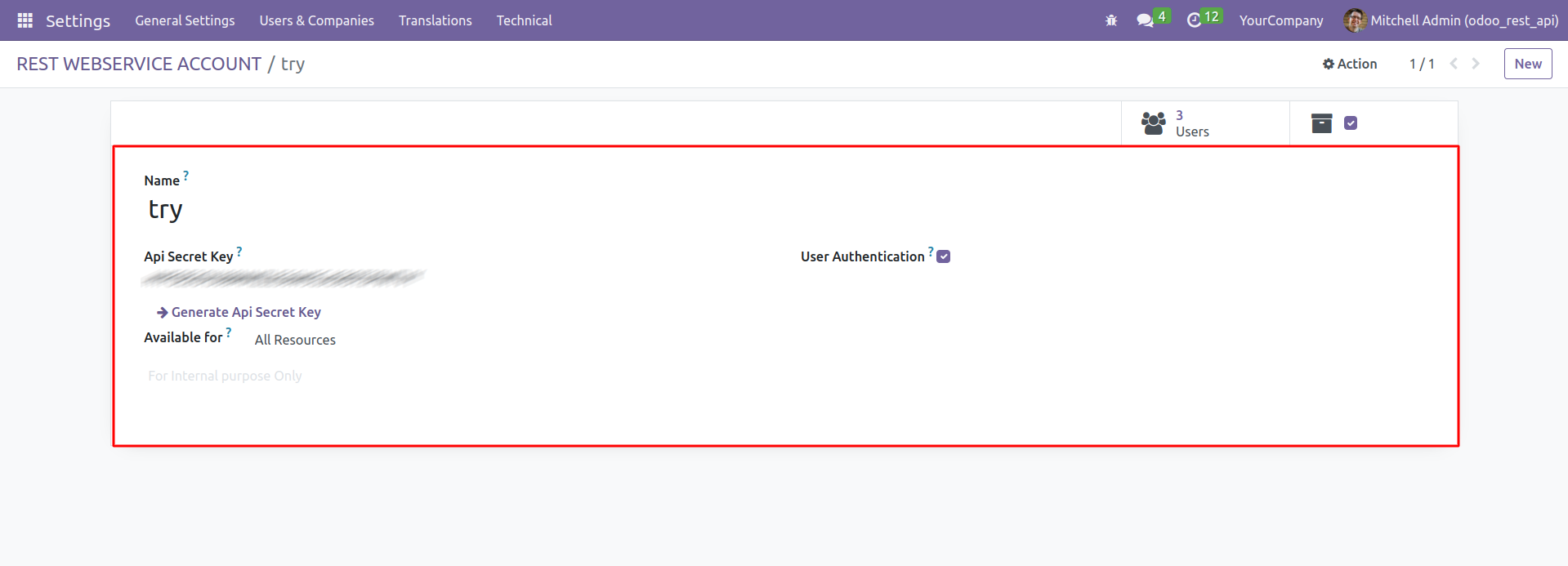
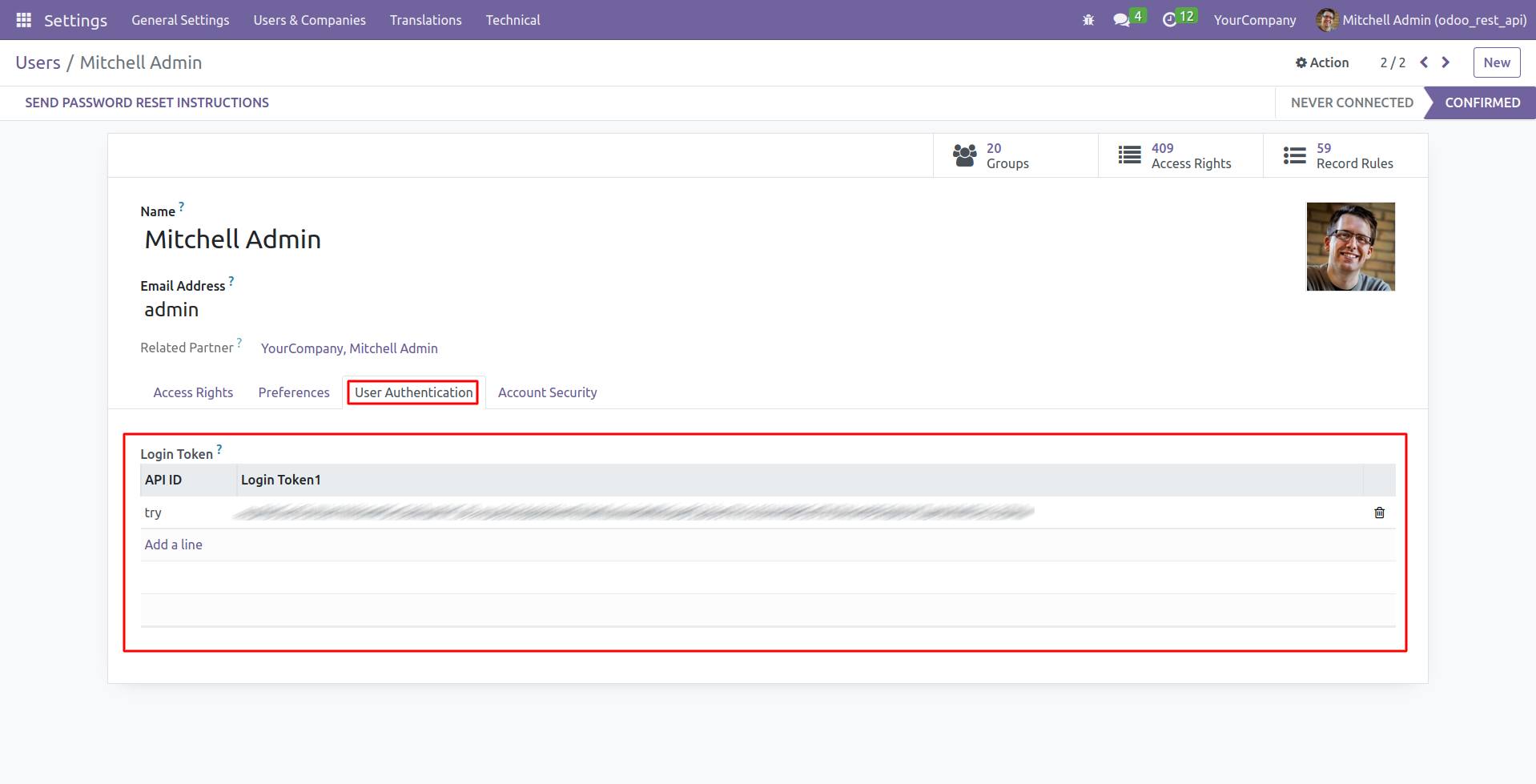
Generating User Authentication Token
Search Request
/api/model_name/search
Header
| Key | Value |
|---|---|
| api-key | String |
| token | String |
Query Parameters
| Key | Value |
|---|---|
| domain | String |
| fields | String |
Response Example
This API allows searching records from a particular model and retrieving specified fields.
Domain filtering: e.g., domain=[('id','in',[13,9,11,12,14])]
Fields selection: e.g., fields=['name','description','product_variant_ids']
Example: Search record from product.product
Request Type: GET
Endpoint: {{base_url}}/api/product.template/search?domain=[('id','in',[13,10,11,12,14])]andfields=['name','description','product_variant_ids']
Header: {"api_key":"xxxxxxxxxxxxxxxxxxxxxxxxxxxxxxxxx"}
{
"object_name": "product.template",
"responseCode": 200,
"fields": "['name','description','product_variant_ids']",
"model_id": 145,
"permisssions": {
"read": true,
"create": true,
"delete": true,
"write": true
},
"message": "Allowed all Models Permission: all",
"success": true,
"domain": "[('id','in',[13,10,11,12,14])]",
"data": [
{
"id": 11,
"name": "Bose Mini Bluetooth Speaker",
"description": false,
"product_variant_ids": [
{
"id": 14,
"name": "Bose Mini Bluetooth Speaker"
}
]
},
{
"id": 14,
"name": "iPad Mini",
"description": false,
"product_variant_ids": [
{
"id": 17,
"name": "iPad Mini"
}
]
},
{
"id": 10,
"name": "iPad Retina Display",
"description": false,
"product_variant_ids": [
{
"id": 10,
"name": "iPad Retina Display"
},
{
"id": 11,
"name": "iPad Retina Display"
},
{
"id": 12,
"name": "iPad Retina Display"
}
]
},
{
"id": 12,
"name": "Custom Computer (kit)",
"description": "Custom computer shipped in kit.",
"product_variant_ids": [
{
"id": 15,
"name": "Custom Computer (kit)"
}
]
},
{
"id": 13,
"name": "Parts Replacement",
"description": false,
"product_variant_ids": [
{
"id": 16,
"name": "Parts Replacement"
}
]
}
]
}
View Record
/api/model_name/record_id
Header
| Key | Value |
|---|---|
| api-key | String |
| token | String |
Response Example
Example: Get a record of sale.order.line
Request Type: GET
Endpoint: {{base_url}}/api/sale.order.line/
Header: {"api_key":"xxxxxxxxxxxxxxxxxxxxxxxxxxxxxxxxx"}
                                                            {
                                                                "object_name": "sale.order.line",
                                                                "responseCode": 200,
                                                                "model_id": 241,
                                                                "record_id": 2,
                                                                "message": "Allowed all Models Permission: all",
                                                                "success": true,
                                                                "permisssions": {
                                                                    "read": true,
                                                                    "create": true,
                                                                    "delete": true,
                                                                    "write": true
                                                                },
                                                                "data": [
                                                                    {
                                                                        "sequence": 10,
                                                                        "price_unit": 145,
                                                                        "product_qty": 5,
                                                                        "salesman_id": [{"id": 5, "name": "Demo User"}],
                                                                        "currency_id": [{"id": 1, "name": "EUR"}],
                                                                        "product_id": [{"id": 5, "name": "Datacard"}],
                                                                        "company_id": [{"id": 1, "name": "YourCompany"}],
                                                                        "name": "Pen drive, 16GB",
                                                                        "product_uom_qty": 5,
                                                                        "product_uom": [{"id": 1, "name": "Unit(s)"}],
                                                                        "order_id": [{"id": 1, "name": "SO001"}],
                                                                        "order_partner_id": [{"id": 9, "name": "Agrolait"}]
                                                                        // (shortened for readability)
                                                                    }
                                                                ]
                                                            }
Update Record
/api/model_name/record_id
Header
| Key | Value |
|---|---|
| api-key | String |
| token | String |
Body
                                                                {
                                                                    "field_1": "value1",
                                                                    "field_2": "value2",
                                                                    "field_3": "value3"
                                                                }
Response Example
Example: Update a record of product.template
Type: PUT
Endpoint: {{base_url}}/api/product.template/
Header: {"api_key":"xxxxxxxxxxxxxxxxxxxxxxxxxxxxxxxxx"}
                                                            {
                                                                "responseCode": 200,
                                                                "model_id": 145,
                                                                "permisssions": {
                                                                    "read": true,
                                                                    "create": true,
                                                                    "delete": true,
                                                                    "write": true
                                                                },
                                                                "message": "Allowed all Models Permission: all",
                                                                "create_id": 75,
                                                                "object_name": "product.template",
                                                                "success": true
                                                            }
Delete Record
/api/model_name/record_id
Header
| Key | Value |
|---|---|
| api-key | String |
| token | String |
Response Example
Example: Delete a record of product.template
Request Type: DELETE
Endpoint: {{base_url}}/api/product.template/
Header: {"api_key":"xxxxxxxxxxxxxxxxxxxxxxxxxxxxxxxxx"}
                                                            {
                                                                "responseCode": 200,
                                                                "model_id": 145,
                                                                "permisssions": {
                                                                    "read": true,
                                                                    "create": true,
                                                                    "delete": true,
                                                                    "write": true
                                                                },
                                                                "message": "Allowed all Models Permission: all",
                                                                "object_name": "product.template",
                                                                "success": true
                                                            }
Get Schema
/api/model_name/schema
Header
| Key | Value |
|---|---|
| api-key | String |
| token | String |
Response Example
Example: Get schema for table product.product
Request Type: GET
Endpoint: {{base_url}}/api/res.lang/schema
Header: {"api_key":"xxxxxxxxxxxxxxxxxxxxxxxxxxxxxxxxx"}
{
"responseCode": 200,
"model_id": 73,
"permisssions": {
"read": true,
"create": true,
"delete": true,
"write": true
},
"message": "Allowed all Models Permission: all",
"object_name": "res.lang",
"success": true,
"data": [
{
"field_type": "char",
"label": "Name",
"readonly": false,
"required": true,
"field_name": "name"
},
{
"field_type": "char",
"label": "Locale Code",
"readonly": false,
"required": true,
"field_name": "code"
},
{
"field_type": "char",
"label": "ISO code",
"readonly": false,
"required": false,
"field_name": "iso_code"
},
{
"field_type": "boolean",
"label": "Translatable",
"readonly": false,
"required": false,
"field_name": "translatable"
},
{
"field_type": "boolean",
"label": "Active",
"readonly": false,
"required": false,
"field_name": "active"
},
{
"readonly": false,
"field_name": "direction",
"field_type": "selection",
"label": "Direction",
"required": true,
"selection": [
["ltr", "Left-to-Right"],
["rtl", "Right-to-Left"]
]
},
{
"field_type": "char",
"label": "Date Format",
"readonly": false,
"required": true,
"field_name": "date_format"
},
{
"field_type": "char",
"label": "Time Format",
"readonly": false,
"required": true,
"field_name": "time_format"
},
{
"field_type": "char",
"label": "Separator Format",
"readonly": false,
"required": true,
"field_name": "grouping"
},
{
"field_type": "char",
"label": "Decimal Separator",
"readonly": false,
"required": true,
"field_name": "decimal_point"
},
{
"field_type": "char",
"label": "Thousands Separator",
"readonly": false,
"required": false,
"field_name": "thousands_sep"
},
{
"field_type": "integer",
"label": "ID",
"readonly": true,
"required": false,
"field_name": "id"
},
{
"field_type": "char",
"label": "Display Name",
"readonly": true,
"required": false,
"field_name": "display_name"
},
{
"field_type": "many2one",
"label": "Created by",
"readonly": false,
"required": false,
"field_name": "create_uid"
},
{
"field_type": "datetime",
"label": "Created on",
"readonly": false,
"required": false,
"field_name": "create_date"
},
{
"field_type": "many2one",
"label": "Last Updated by",
"readonly": false,
"required": false,
"field_name": "write_uid"
},
{
"field_type": "datetime",
"label": "Last Updated on",
"readonly": false,
"required": false,
"field_name": "write_date"
},
{
"field_type": "datetime",
"label": "Last Modified on",
"readonly": true,
"required": false,
"field_name": "__last_update"
}
]
}
Create Request
/api/model_name/create
Header
| Key | Value |
|---|---|
| api-key | String |
| token | String |
Body
{
                                                                "field_1": "value1",
                                                                "field_2": "value2",
                                                                "field_3": "value3"
                                                                }
Response Example
Example: Create a record of product.template
Request Type: POST
Endpoint: {{base_url}}/api/product.template/create
Header: {"api_key":"xxxxxxxxxxxxxxxxxxxxxxxxxxxxxxxxx"}
{
                                                            "responseCode": 200,
                                                            "model_id": 145,
                                                            "permisssions": {
                                                                "read": true,
                                                                "create": true,
                                                                "delete": true,
                                                                "write": true
                                                            },
                                                            "message": "Allowed all Models Permission: all",
                                                            "create_id": 75,
                                                            "object_name": "product.template",
                                                            "success": true
                                                            }
Execute Function Request
/api/model_name/execute_kw
Header
| Key | Value |
|---|---|
| api-key | String |
| token | String |
Body
{
                                                                "method": "method name",
                                                                "args": "arguments",
                                                                "kw": "keyword arguments (i.e. key-value pairs)"
                                                                }
Response Example
Example: Trigger your Odoo actions
Request Type: POST
Endpoint: {{base_url}}/api/res.partner/execute_kw
Header: {"api_key":"xxxxxxxxxxxxxxxxxxxxxxxxxxxxxxxxx"}
Body: {"method":"name_get","args":[[2]],"kw":{}}
{
                                                            "model_id": 74,
                                                            "success": true,
                                                            "message": "Method Successfully Called",
                                                            "result": [
                                                                [2, "OdooBot"]
                                                            ],
                                                            "responseCode": 200,
                                                            "permisssions": {
                                                                "read": true,
                                                                "write": true,
                                                                "delete": true,
                                                                "create": true
                                                            },
                                                            "object_name": "res.partner"
                                                            }
Generate Token
/api/model_name/generate_token
Header
| Key | Value |
|---|---|
| api-key | String |
| login | String |
Response Example
Example: Generate Login Token
Request Type: POST
Endpoint: {{base_url}}/api/generate_token
Header:
{"api_key":"xxxxxxxxxxxxxxxxxxxxxxxxxxxxxxxxx", "login":"xxxxxxxxxxxxxxxxxxxxxxxxxxxxxxxxxx"}
{
                                                            "success": true,
                                                            "message": "Token Successfully Generated",
                                                            "responseCode": 200,
                                                            "user_id": 2,
                                                            "Token": "eyJhbGciOiJIUzI1NiIsInR5cCI6IkpXVCJ9.eyJsb2dpbiI..........."
                                                            }
🔗 Postman Collection
Postman Collection JSON File:
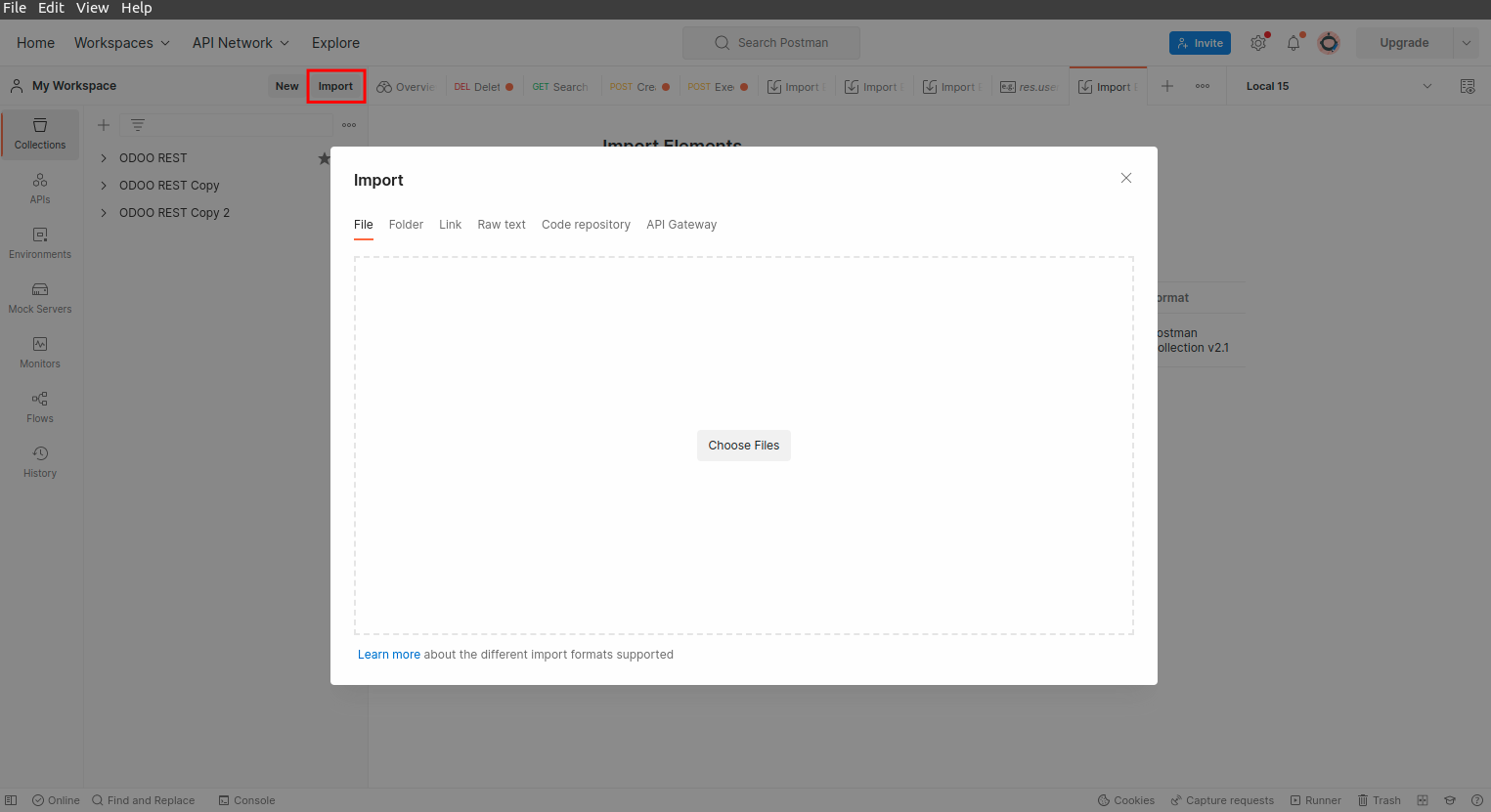
- Select "Import" in Postman
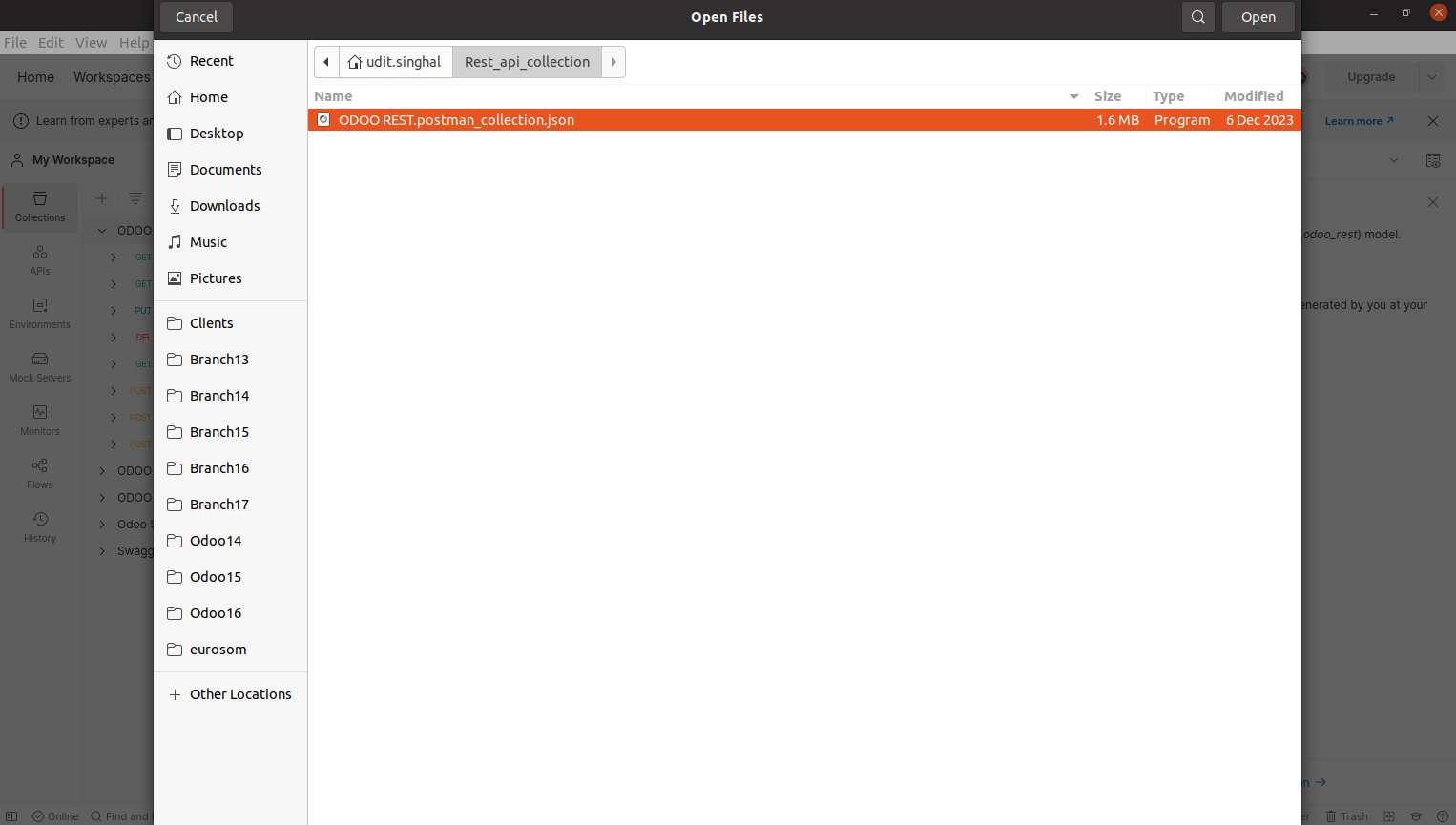
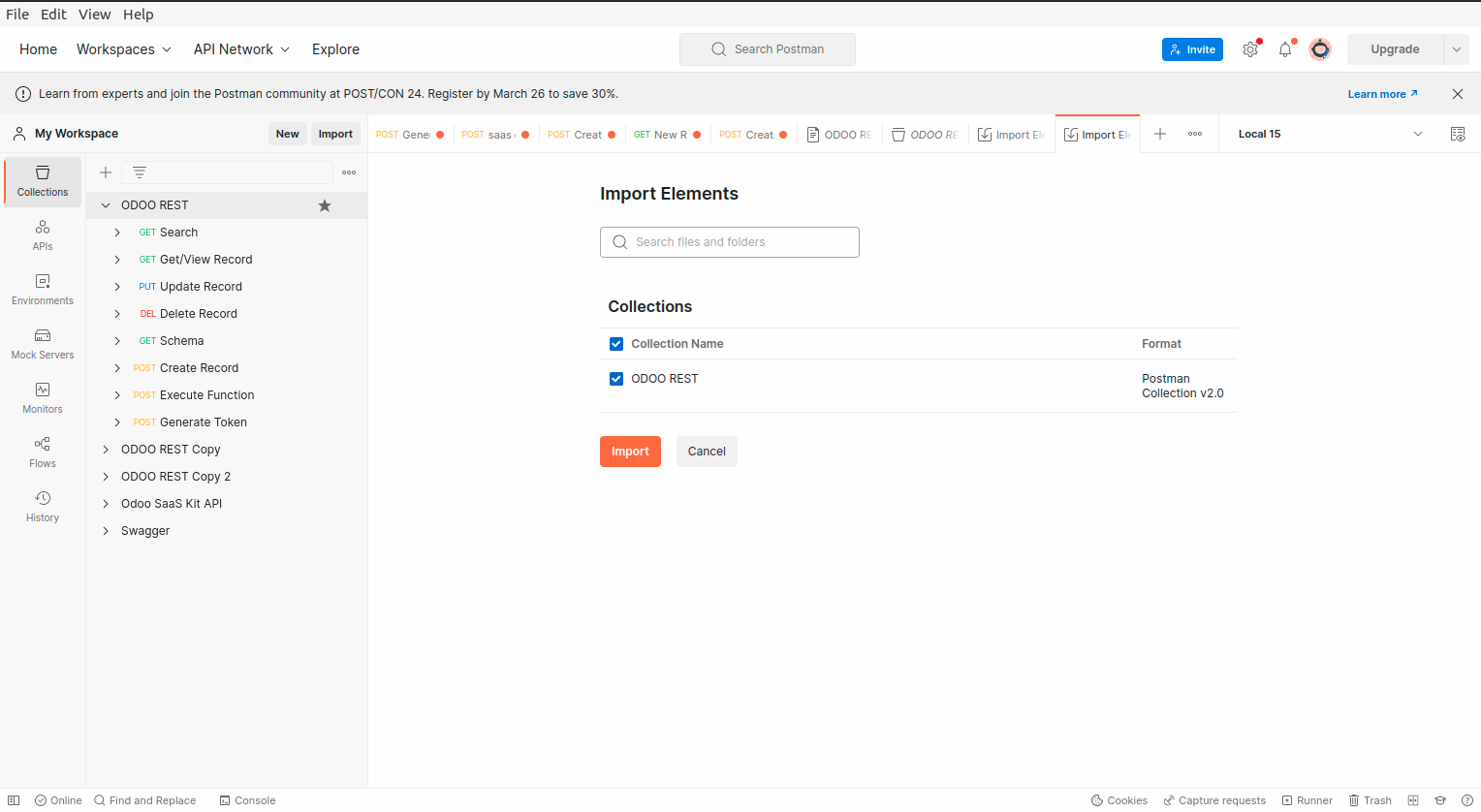
- Choose the Postman collection JSON file